
How To Upload an Assignment to Moodle

Created by Andrei Toma, Modified on Wed, 15 Feb, 2023 at 12:49 PM by Andrei Toma

  1. Make sure that your file is in an acceptable format (generally doc, docx, and pdf are best and the most widely accepted) 
    1. If you need to convert your document to a doc, docx, or pdf format, try using an online file converter. To convert to a PDF, use https://www.ilovepdf.com/. This website offers other free conversion options as well.
    2. To convert to a PDF to a Word document, use https://www.adobe.com/uk/acrobat/online/pdf-to-word.html.
  2. Once your document is in the correct format, log in to https://online.cnmstudent.com and navigate to your assignment page.  
  3. Once you’ve gone to the assignment page, scroll down until you see the “Add Submission” button and then click it. 
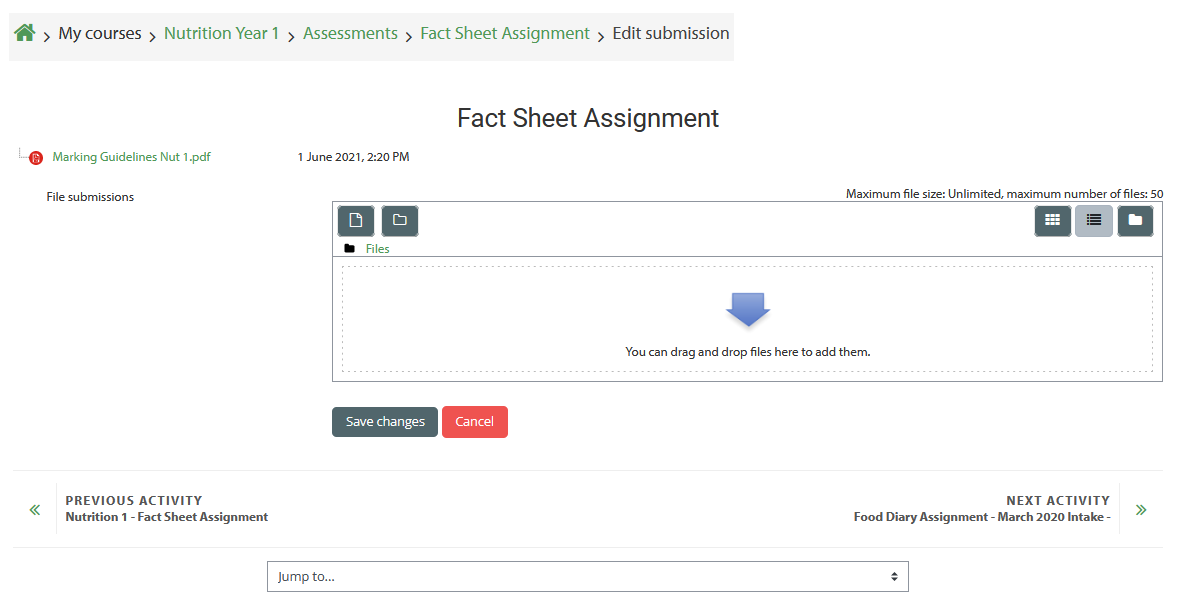
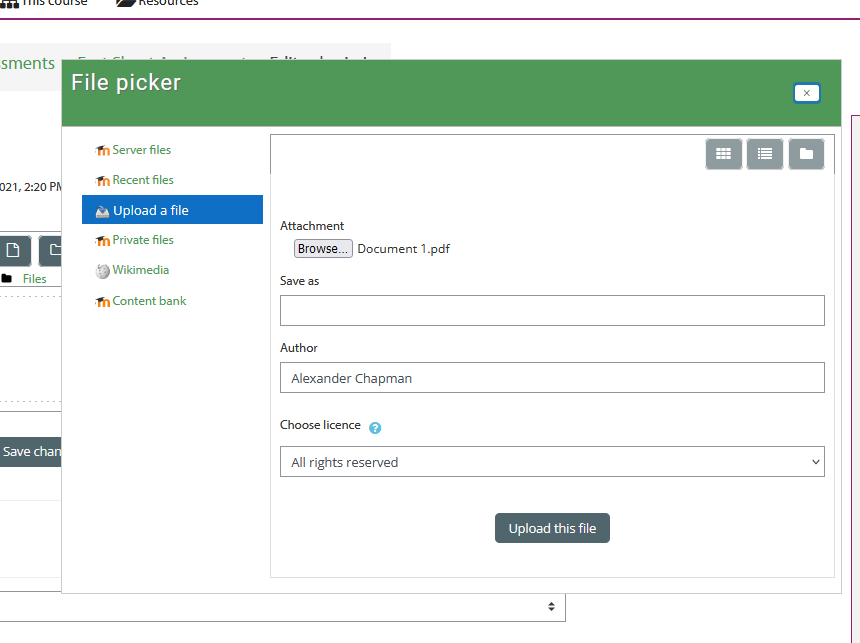
  4. Click on the icon that looks like a sheet of paper to select the file(s) you would like to upload for your assignment.
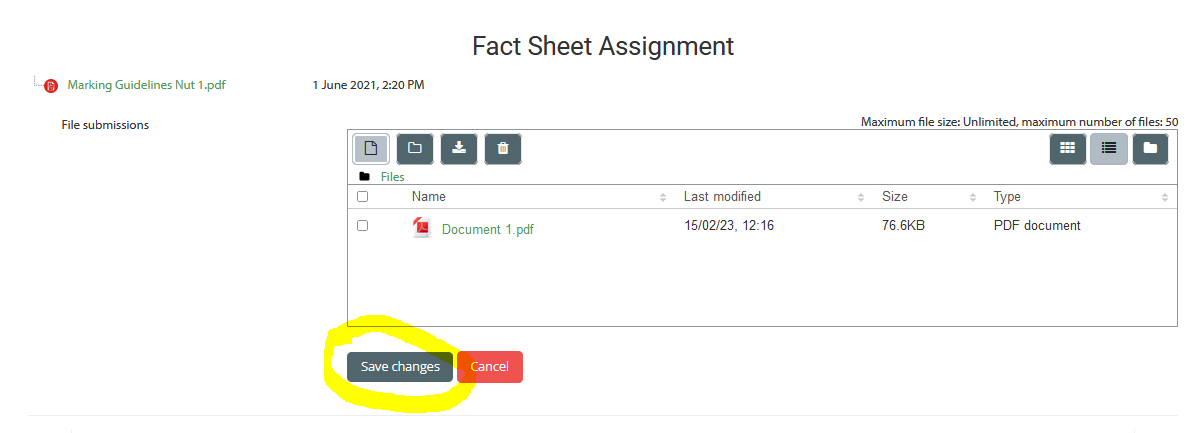
  5. Once you've selected your documents, hit the "Save Changes" button. 
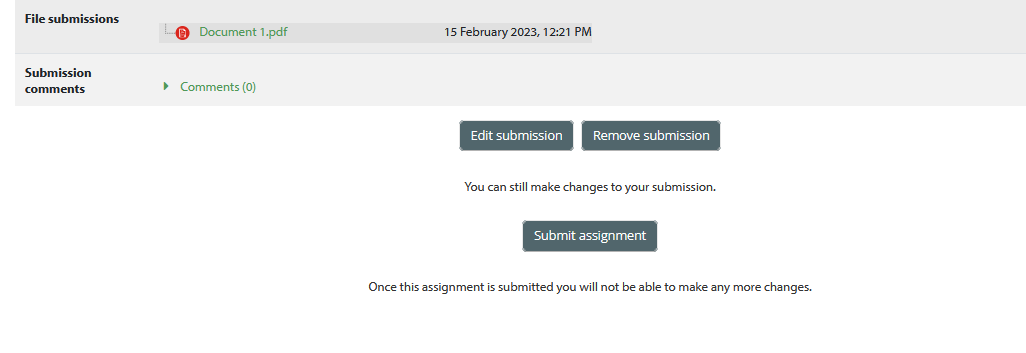
  6. You should then click the "Submit Assignment" button to officially submit your assignment.


Was this article helpful?

That’s Great!

Thank you for your feedback

Sorry! We couldn't be helpful

Thank you for your feedback

Let us know how can we improve this article!

Select at least one of the reasons
CAPTCHA verification is required.

Feedback sent

We appreciate your effort and will try to fix the article