You have full control over the notifications you receive from the student website. By adjusting your notification preferences, you can choose which updates you would like to receive and which ones you would prefer to disable.
Follow the steps below to update your settings:
Log in to your account on the student website using your student number and password.
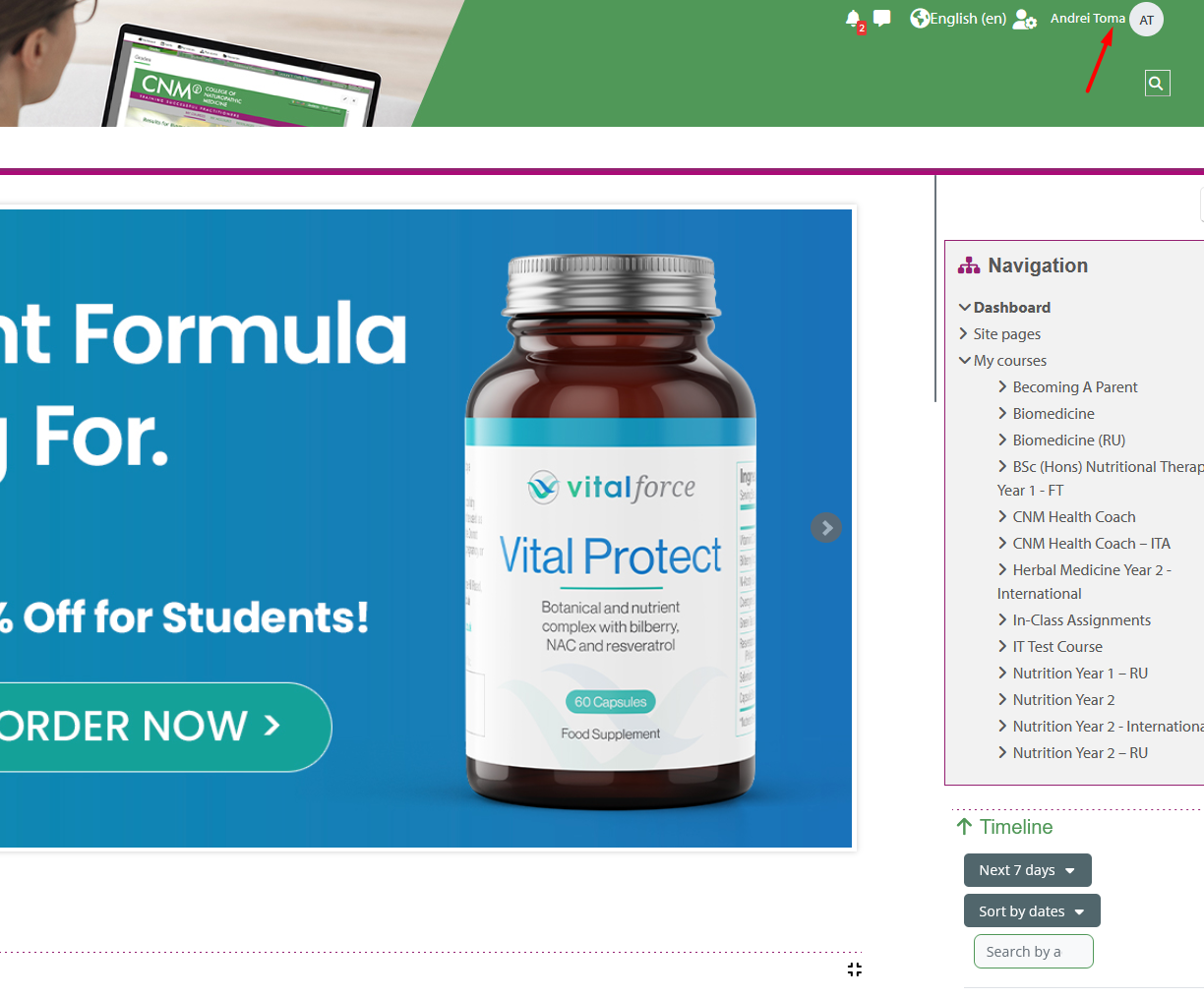
After logging in, locate your name in the top-right corner of the screen and click on it.
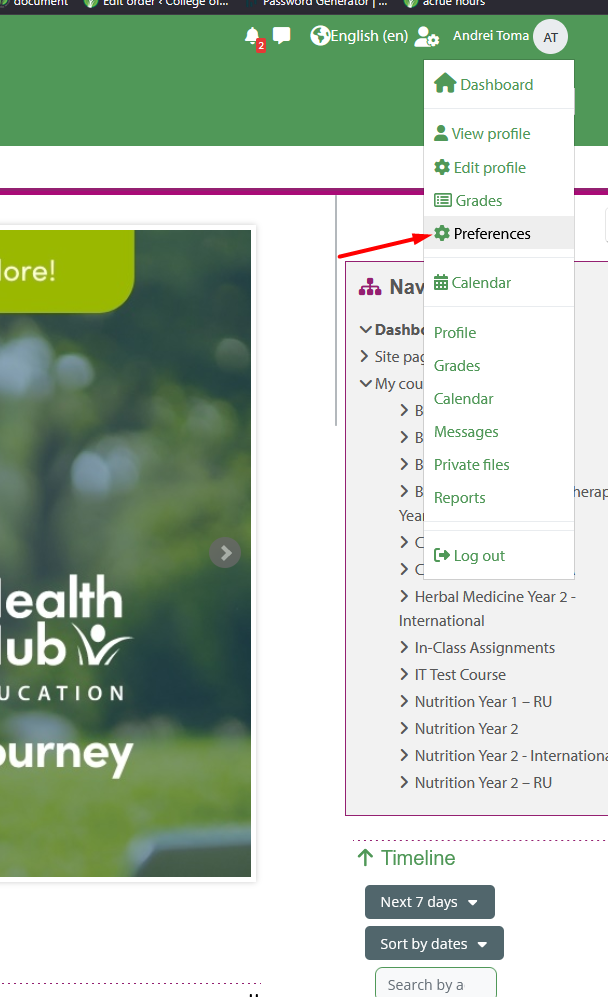
(see screenshot below)From the drop-down menu, select Preferences.
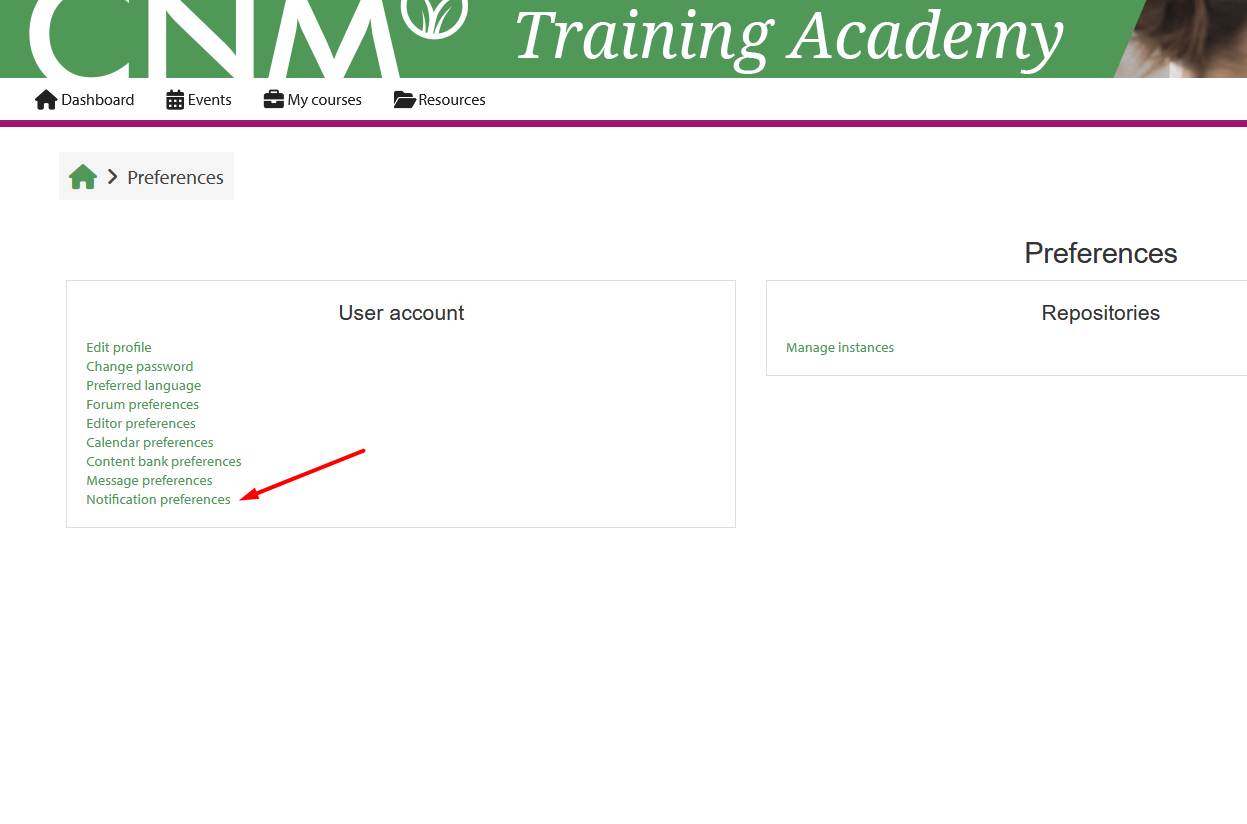
On the Preferences page, click on Notification Preferences.
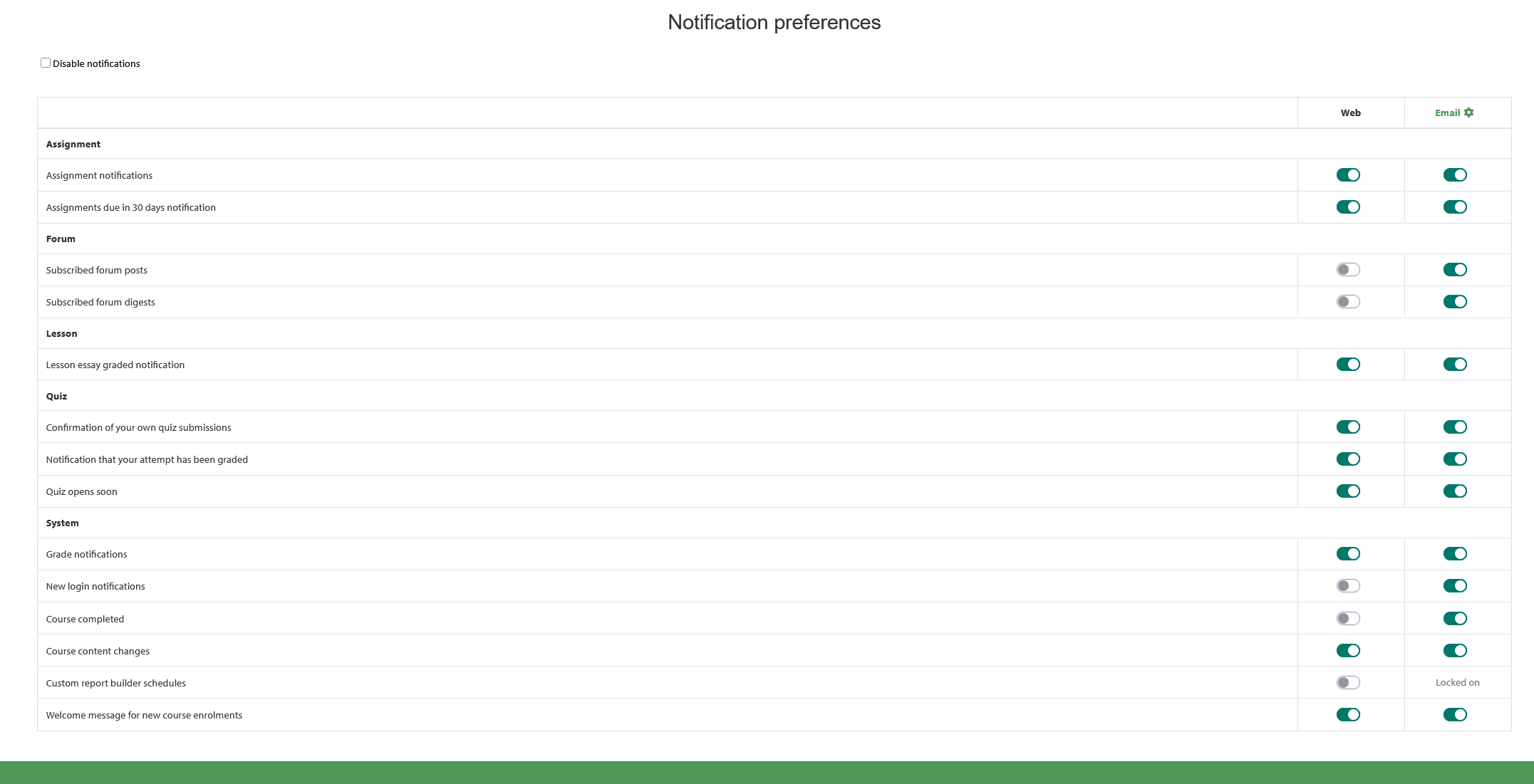
You will now see a list of available notification options. From here, you can enable or disable individual notifications according to your needs.
Explanation
Enabling notifications ensures that you receive important updates directly to your account or via email (depending on the type of notification).
Disabling notifications allows you to reduce unnecessary messages and only receive the information most relevant to you.
Your choices are saved automatically once selected, and you may return to this section at any time to make further adjustments.
That’s it! Your settings will be saved automatically, and you can update them at any time.
Was this article helpful?
That’s Great!
Thank you for your feedback
Sorry! We couldn't be helpful
Thank you for your feedback
Feedback sent
We appreciate your effort and will try to fix the article